


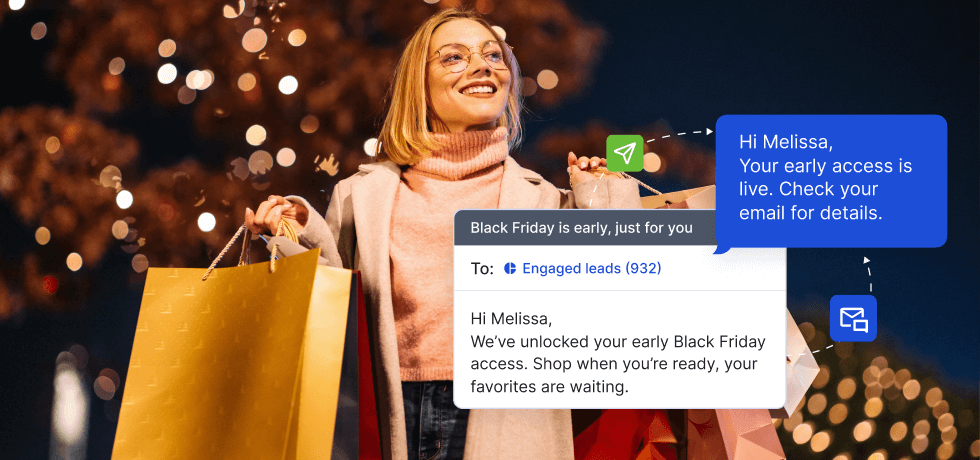
Let’s be honest: Most businesses send the same generic “50% OFF!!!” message to everyone on Black Friday and wonder why nobody responds.
This guide shows you a better way. We’ll walk you through the 5-step process for setting up compliant email & SMS campaigns that actually reach your customers and get opened, then show you how to automate everything that happens after the first send.
What you’ll learn:
- How to verify your numbers and email domain
- The compliance basics that keep you out of spam folders
- How to segment contacts and make every message feel personal
- When and how to schedule for maximum impact
- How to automate follow-ups, reminders, and store notifications
- How to do it all in Textmagic
Difficulty: Easier than you think
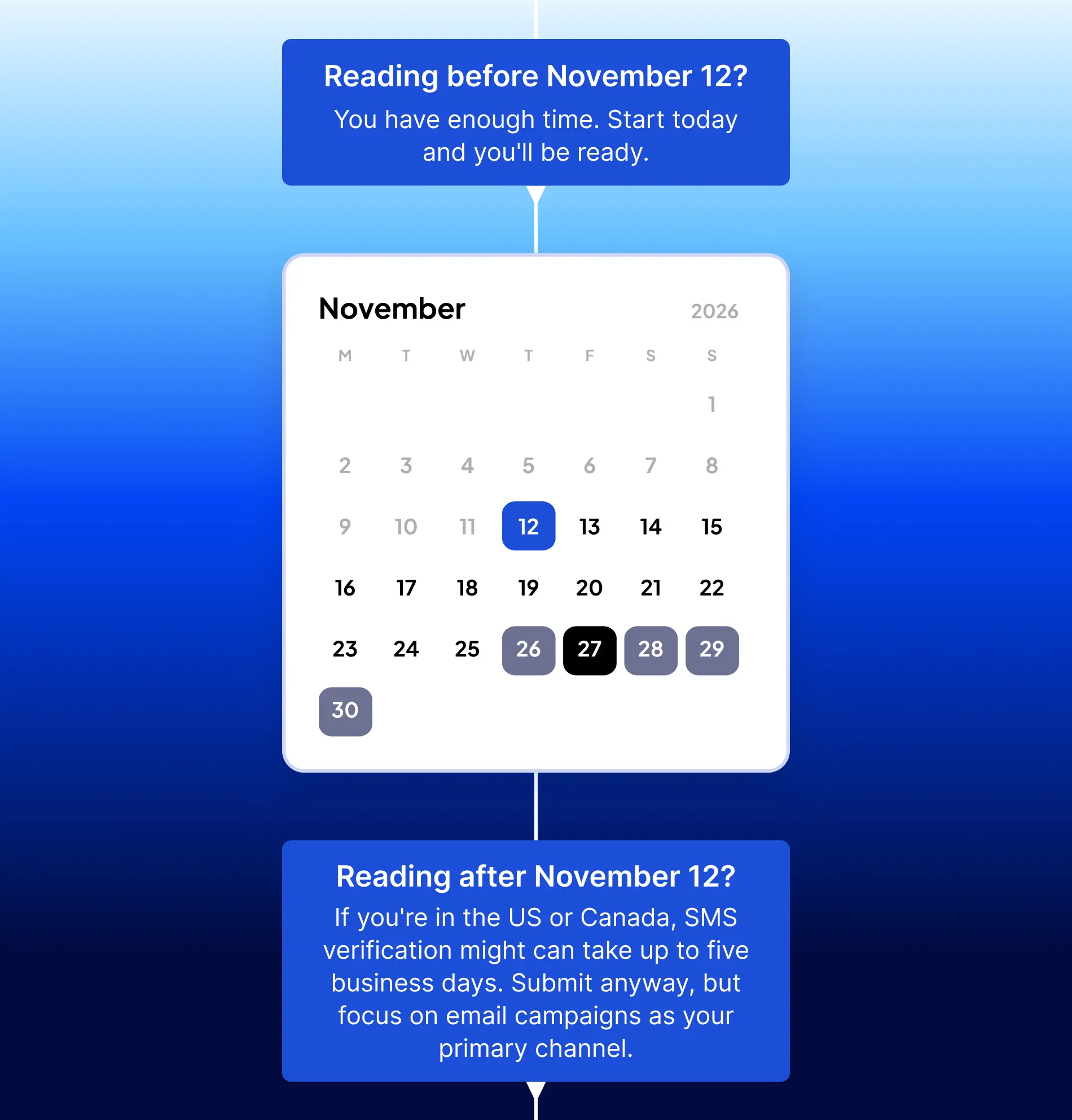
When to start preparing: Now.
Toll-free verification in North America can take up to 5 business days. A new email domain needs a few weeks of warm-up.
1. Verify before you send
Before you send anything, make sure your numbers and email domain are verified. It’s the only way your messages actually reach customers.
1.1. Send SMS in the United States & Canada
We recommend using a verified toll-free number (TFN) for all mass texting campaigns. Sending messages from verified TFN numbers ensures message deliverability and helps combat spam.
You can get one directly in your Textmagic account. Registration is free, and your first number is also free for one month ($10/month after).
How to verify your toll-free number:
- Choose your number: Go to Buy number in Textmagic and pick any available US or CA toll-free number.
- Complete the verification form with AI assistance: After purchasing, the toll-free verification form will open automatically. Our AI assistant helps you auto-fill the form according to best practices.
- Submit for approval. Our team will review your form, reach out if there are any issues, and forward it to the messaging aggregator for processing.
👉 Full instructions: Toll-free number messaging
1.2. Send SMS in the United Kingdom
You have two options, depending on whether you need one-way broadcasts or two-way conversations:
- A dedicated Sender ID (for one-way campaigns). Your business name shows up instead of a number.
- Go to Sender IDs, click “Apply for a Sender ID”, type your business name (11 characters max), fill out the requested information, and wait for approval (usually instant).
- A dedicated UK number (for two-way conversations). You can get a dedicated UK virtual number and activate it instantly in Textmagic.
👉 More info: Understanding sender settings
1.3. Send SMS in Australia
Since 1 July 2026, branded Sender IDs in Australia must be registered with the ACMA, or your messages show as “Unverified”. You’ll need an Australian Business Number (ABN), and approval can take up to 7 days. Dedicated numbers aren’t affected.
1.4. Verify and warm-up your email domain
Before you can send any Black Friday emails, you need to connect and verify your email domain.
How to verify your domain:
- Add your email domain: Go to Messaging settings → Emails and click “Connect new domain.” Enter your domain (yourcompany.com).
- Authenticate your email domain: There are two ways to authenticate your email domain in Textmagic.
- Automatic setup (recommended): Textmagic detects your email provider through Entri and adds the records for you. Just log in when prompted.
- Manual setup. Copy the DNS records from Textmagic, paste them into your domain provider (like GoDaddy or Namecheap), and click Verify once saved. Detailed email setup guide →
- Add email senders: Once your domain is verified, you can create as many sender profiles as you want and choose your Reply-to email.
Why this matters more than ever: Gmail, Yahoo and Microsoft Outlook require bulk senders to authenticate with SPF, DKIM, and DMARC.
Senders must also offer one-click unsubscribe and keep spam complaints low. Unauthenticated Black Friday emails are increasingly rejected or sent streight to spam.
Warm up your email list:
If your domain is new or hasn’t been used in a while, start warming it up right away. Textmagic will guide you through best practices for warm-ups the first time you create an email campaign.
2. Confirm, don’t blast
Every contact you message must have given explicit permission to hear from you. This isn’t just a rule; it’s what keeps your messages deliverable.
- For SMS campaigns: Always include your company name and a straightforward opt-out method in every message (e.g., “Reply STOP to opt out”).
- For email campaigns: Include required footer content with your company info, unsubscribe link, and a reminder of why they’re receiving your emails (e.g., “You’re receiving this because you subscribed to updates from [Your Business Name]”).
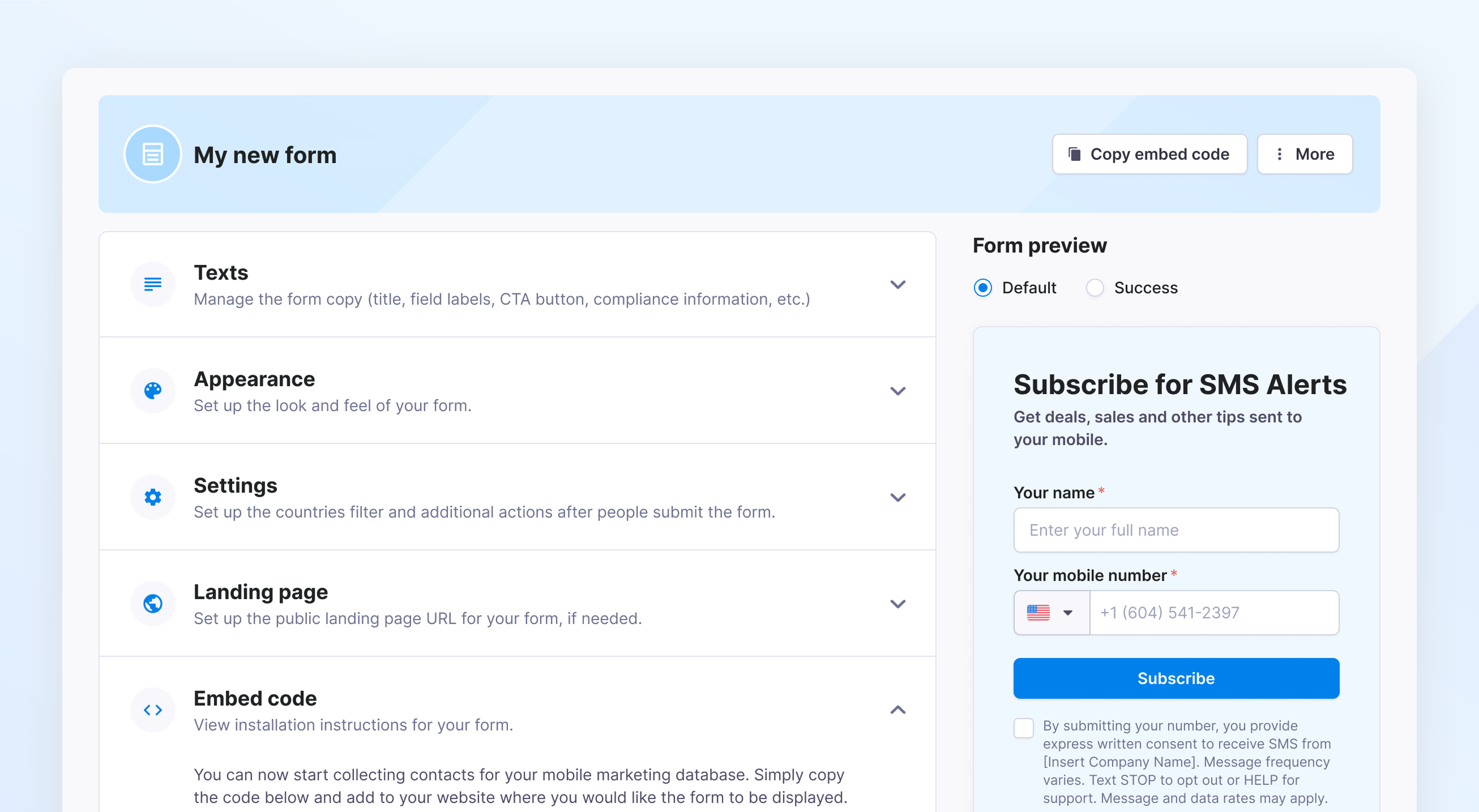
You can create compliant SMS opt-in forms directly in Textmagic. For email campaigns, you only need to configure your footer content once and apply it automatically to all emails using a custom field.
✅ Acceptable consent methods:
- Web form. The customer checks a box on your site, agreeing to receive messages. This must be unchecked by default, clearly state who is messaging, how often, and include opt-out instructions. See an example of a compliant form →
- Text-to-join. The customer texts a keyword (such as “JOIN” or “DEALS”) to your number. You must auto-reply with the same info as in the web form.
- In-store signup. The customer provides their phone number or email address at checkout or in person. This must be optional and separate from the purchase. You cannot require contact information to complete a transaction and then use it for marketing purposes.
❌ Not allowed:
- Purchased lists.
- “Implied” consent from old records.
- Scraped data from public sources
- Contact info collected for one purpose and used for another
👉 Read more: Acceptable consent methods
3. Send value, not volume
One personalized message beats 10 generic ones. Here’s how to make every message count:
3.1. Clean your list first
Five minutes of list hygiene = way better results. Sending to invalid contacts damages your reputation and wastes money.
What to do:
- For email: Textmagic automatically offers to clean new contact uploads and remove invalid emails. A bulk email lookup tool is also available to check the deliverability status.
- For SMS: Use our bulk carrier lookup tool to validate the Status, Type, Country, and Carrier of phone numbers before you start sending text campaigns.
3.2. Segment your audience
Instead of sending one message to everyone, split your contacts into groups that make sense for your business:
- VIPs: Customers who’ve bought 3+ times or spent >$400
- Active subscribers: Opened your last few emails
- Newbies: First Black Friday with you
- Dormant customers: Haven’t engaged in 6+ months
- Window shoppers: Clicked your deals but haven’t bought yet
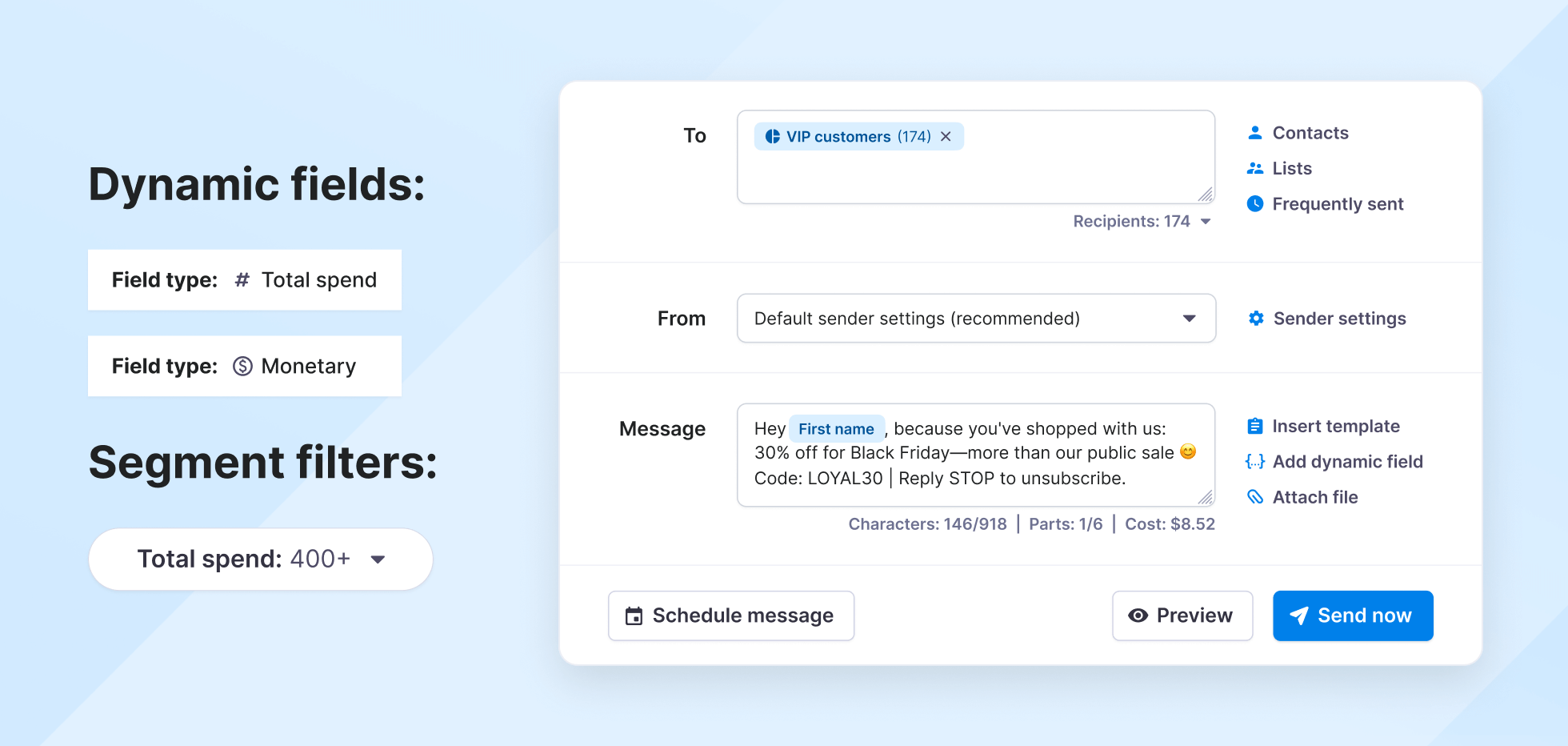
To create Segments in Textmagic, go to Contacts → Segments → New Segment. Set filters, such as “Tag = VIP” or “Date Added = Last 30 days”, to automatically group contacts based on their behavior.
Need ideas? Check our guide with 20 useful contact segmentation strategies.
3.3. Personalize every message
Once segmented, make each message feel like it was written just for them:
- Use dynamic fields to personalize messages automatically. Textmagic gives you automatic fields like {first_name} and {last_name}, plus unlimited custom fields for purchase history, location, preferences, etc.
- Create unique discount codes for each person. Generate single-use codes in your store, import them as a custom field (for example, {bf_code}), and drop that field into your message. Everyone gets a code that can’t be shared, and you can track exactly who redeemed.
- Reference past purchases or behavior. “You loved [product] last time, here’s 20% off similar items” performs better. Connect HubSpot, Shopify or WooCommerce to bring that data in automatically. For any other CRM, connect to Textmagic via Zapier.
- Tailor your message to each segment. What works for VIPs (early access, exclusive perks) won’t work for dormant customers (we miss you, come back). Match your tone and offer to the audience.
4. Thank your regulars
Most businesses overlook their most loyal customers and focus on acquiring new ones. Do the opposite. Your repeat customers are your most valuable asset. They already trust you, they cost far less to keep than new customers to win, and they’re the ones most likely to recommend you to friends.
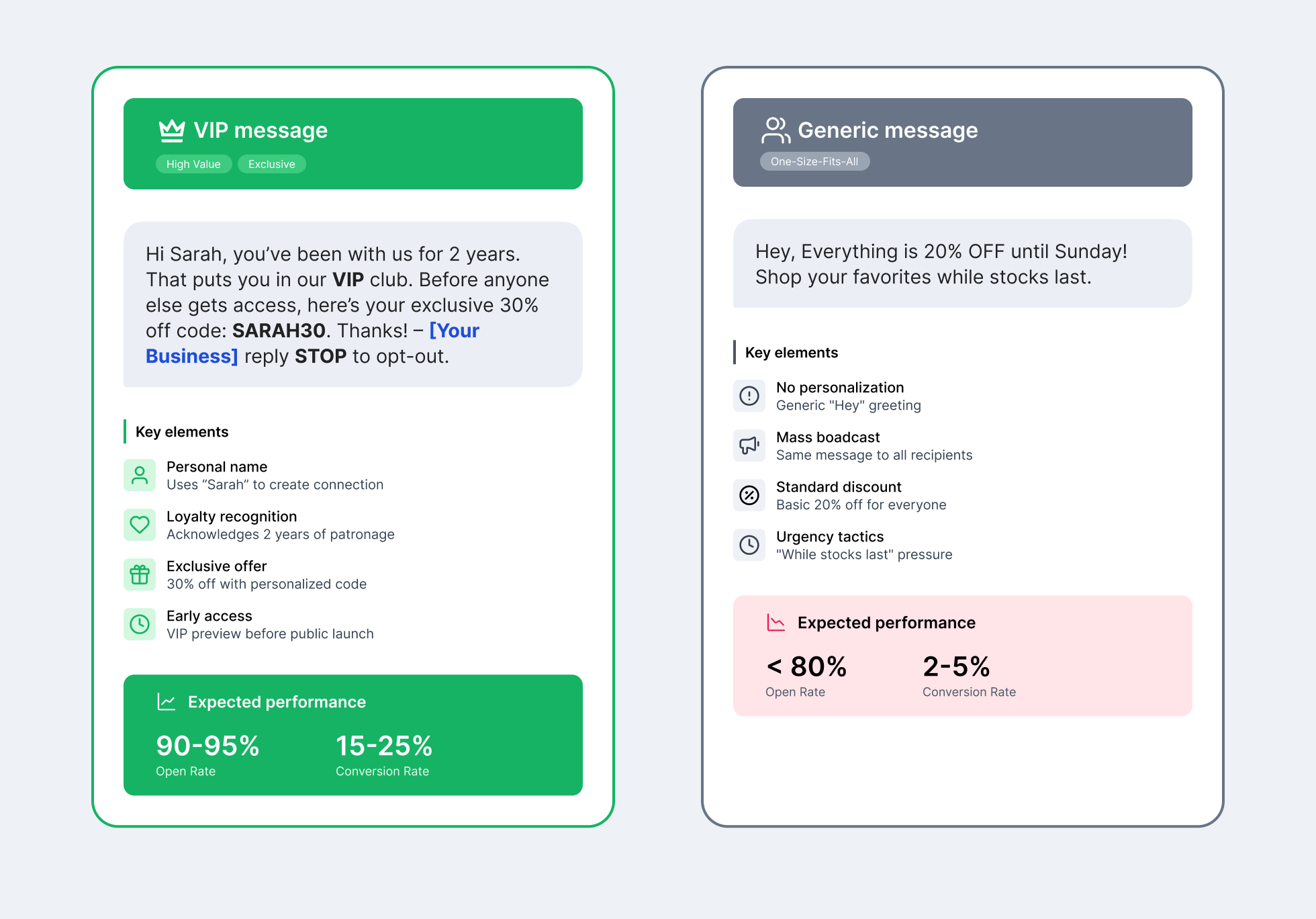
VIP treatment isn’t just about discounts. It’s about recognition and exclusivity. Here’s what works:
✅ Make it truly exclusive
- Shop 24 hours before everyone else
- Bigger discount (VIPs get 30%, others get 20%)
- Exclusive products (VIP-only items)
- Extended return windows (60 days vs. 30 days)
✅ Make it personal
- Address them by name: “Hi {First_name}, you’re one of our top customers“
- Reference their history: “Thanks for being with us for {Months_as_customer}“
- Acknowledge their loyalty: “As a thank you for your 5 purchases this year…“
✅ Make it feel genuine
Don’t just say “valued customer.” Show them HOW they’re valued. Be specific:
- “You’ve been with us since [Date]”
- “You’re in our top 10% of customers”
- “You bought [Product]—here’s something you’ll love”
5. Time it right
Don’t text people at 2am. Don’t email during lunch rush.
Best sending windows:
- SMS: 9am-8pm local time, weekdays preferred (people check phones during work breaks and evenings)
- Email: 8-10am or 1-3pm, Tuesday-Friday (caught during morning inbox checks and post-lunch browsing)
Pro tip: Textmagic automatically sends based on each contact’s time zone.
Here’s a timeline you could use for Black Friday:
- 📅 1 week before (November 20): Teaser email: “Here’s what’s coming for Black Friday”
- 📅 Thursday before (November 26, Thanksgiving): VIP early access (email + SMS to VIP segment): “Your 24-hour head start begins now”
- 📅 Friday morning (Nov 27, 9am): General launch: Email + SMS to everyone: announce your deals
- 📅 Friday afternoon (Nov 27, 2pm): Automated follow-ups, based on what people clicked.
- 📅 Cyber Monday (Nov 30): Last-chance reminder to people who didn’t buy yet.
If you have a large list (10K+ contacts), spread your sends over 2-3 hours instead of sending all at once. This improves deliverability and prevents spam flags.
Building your campaign in Textmagic
Now that you know WHAT to send and WHEN, here’s exactly HOW to build your Black Friday campaigns in Textmagic.
Before Black Friday (VIP access – Nov 26, 5PM):
Email:
- Go to Compose → Email.
- Add recipients: Click “Add recipients” and choose your segment (VIP list or any segment you created).
- Set sender information: Choose your verified domain, add a subject line, and a preheader.
- Build your email: Use the Drag’n’drop editor (1,600+ templates, look for “Black Friday” or “Sale”) or write in rich text for complete control.
- Personalize and test: Add merge tags (e.g., {first_name}, {code}, etc.), then send a test email to yourself. Verify that fields populate correctly and links function properly. Pro tip: Use our AI tool to refine copy.
- Schedule for 5PM local time and toggle the automatic follow-up.
SMS:
- Go to Compose → SMS. Select the same audience.
- Choose your verified sender (toll-free number for US/Canada, sender ID, or dedicated number for UK/Australia)
- Write your message. Keep it under 160 characters to avoid splitting into multiple texts and avoid using link shorteners. Emojis and special characters drop the limit to 70 chars per text, so check your character counter if you add a 🔥.
- Preview your message and schedule it Wednesday, Nov 25 at 5PM as a heads-up, so you’re not texting on Thanksgiving.
- Label it. Give your Black Friday send the same color label. After the sale, filter History by that label to see the whole campaign in one place.
On Black Friday (Main campaign – Nov 27, 9AM)
Time to reach everyone else.
- Email: Duplicate your VIP campaign, switch to “All subscribers,” and update the offer.
- SMS: Do the same, scheduling both for 9AM. Your follow-ups are handled by the automation below.
Automate the follow-ups (Nov 27–30)
The first send is the easy part. Set up your follow-ups once and they run all weekend. Open the AI automation builder and describe what you want in plain English, for example:
“When a contact clicks Shop the deals in my Black Friday email, wait 4 hours and text them their code. Send one last reminder on Cyber Monday, then stop.”
Check each step before you switch it on. Two additions worth making:
- Split by click. Route people by the link they clicked, so deal-hunters get their code and gift shoppers get your gift guide.
- Test before Friday. Split a small segment three ways on Thursday, then send the winning opening line to everyone.
Three quick wins before the weekend
- Running an online store? Connect Shopify or WooCommerce so order confirmations, shipping updates and checkout reminders go out automatically. Setup guides: Shopify, WooCommerce.
- Taking Thanksgiving off? Set a holiday auto-reply for a date range under Automations → Templates.
- Use Claude or ChatGPT? Connect Textmagic and ask it to check your credits or summarize Black Friday replies. It always shows you the message and cost before sending. How to connect.
Track what’s working
After you send, check your Reports in Textmagic to see:
- For SMS: Outbound SMS, Delivery rates (should be 95%+)
- For email: The new email reports show deliveries, opens, clicks, bounces and unsubscribes over time. Focus on clicks (3-5% is solid).
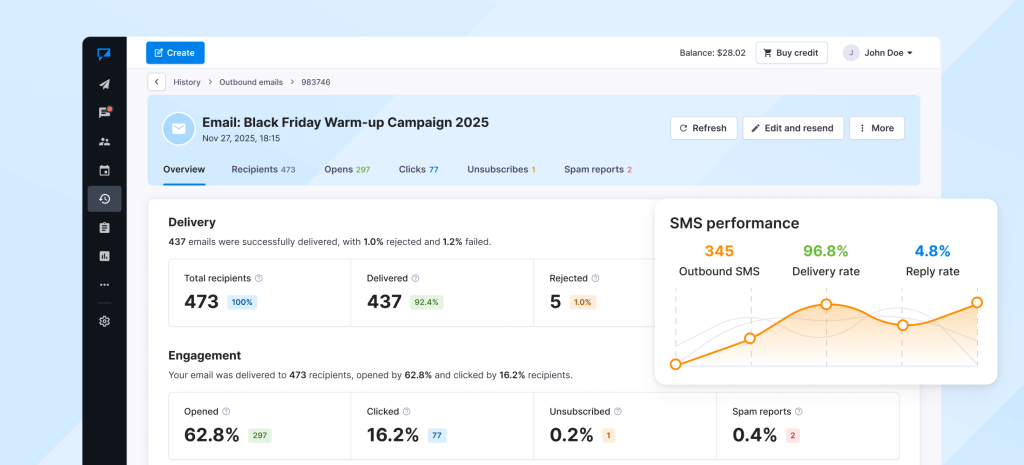
What to do with this data:
- Identify your best performers: Which segment had the highest conversion? Give them VIP treatment next year.
- Find engaged non-buyers: People who opened and clicked but didn’t buy? Send them a reminder with an extra incentive.
- Learn from timing: Did your Thursday VIP send outperform Friday morning? Or vice versa? Use this for next year.
- A/B test findings: If you tested different subject lines or split paths, see which won and use that style in the future.
The data you collect this Black Friday becomes your playbook for next year and every campaign after.
New to Textmagic? Get 20% off texts for 90 days
- Create your free account.
- Contact our support team and mention Black Friday 2026. We’ll apply your discount for the next 90 days. You can reach us by live chat or email, or call US (844) 600-0669, UK 0808 168 1030, AU 1800 531 865.
- Offer available to new accounts only. Claim by December 31, 2026. The discount applies to text messages for 90 days from activation.

Related articles

6 Strategic communication plan templates for your team
Have you ever wondered how to ensure everyone in you...
3 Easy Google Calendar SMS reminder automations with Textmagic and Zapier
Managing schedules has become effortless thanks to d...
10 HubSpot SMS automations worth building with Textmagic
HubSpot already knows when a new lead comes in, a de...
SimpleTexting vs Textmagic: Which platform is right for you?
SimpleTexting and Textmagic are leading business tex...

Welcome emails done right: 15 Templates for every occasion
In business, much like in personal encounters, the i...