


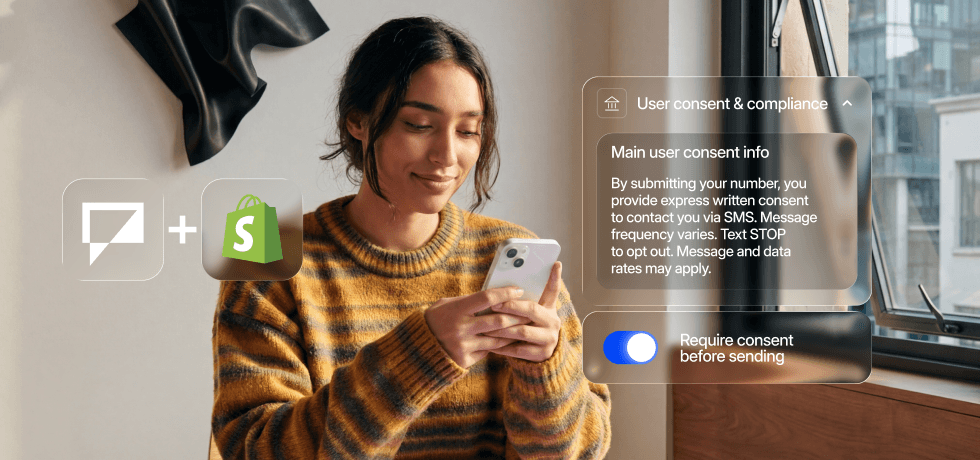
Think about the last time a brand texted you and it felt useful rather than annoying. Probably an order confirmation, a shipping update, maybe a restock alert for something you actually wanted. You were glad they sent it.
That is the bar for Shopify SMS done right and it is exactly what Textmagic is built to deliver. Messages that feel expected, relevant, and well-timed.
The compliance side is just what makes sure those messages arrive and that you are allowed to send them.
What you actually need to get it right
The compliance side of SMS has a reputation for being a headache. In practice, there are two core areas to focus on:
- Who you can text. You need explicit consent from every person on your list. Not implied “they gave us their email so probably their phone too” consent. Explicit, documented, SMS-specific consent.
- A valid, verified number. In major markets business SMS traffic has to come from a registered number or carriers will silently filter it.
1. Collect consent the right way at checkout
The best place to collect SMS consent for a Shopify store is at checkout. You already have the customer’s attention, they are already entering their phone number, and a simple checkbox takes care of everything.
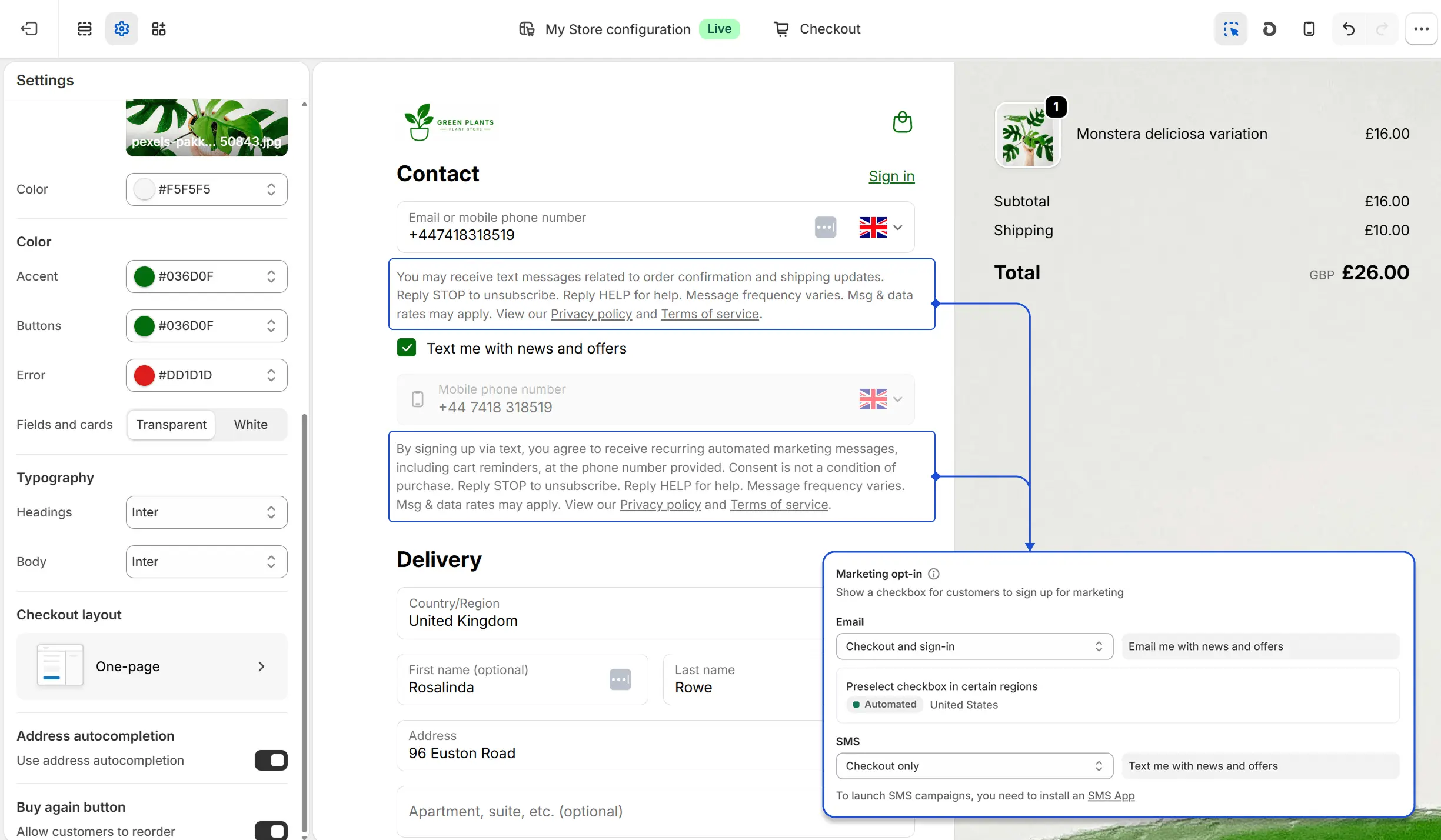
Two important rules:
- The checkbox must be unchecked by default. Pre-checked boxes are rejected during carrier verification in the US and are not compliant in the UK or Australia either.
- Transactional and marketing consent are separate. Use two checkboxes, one for each.
- Order confirmations, shipping updates, and delivery notifications are operational messaging. Customers expect them as part of the purchase.
- Promotional offers, product launches, and sale announcements are permission-based messaging.
Shopify provides default consent language but you can customise it from Checkout → Languages → Edit checkout language. Here are a few examples of what good consent copy looks like:
Order updates and shipping notifications (transactional):
☐ Text me order confirmations and delivery updates from [Store Name]. Message frequency may vary. Message and data rates may apply. Text STOP to opt out or HELP for support. By checking, I accept [Terms of Service] & [Privacy Policy]
Promotions, offers, and product alerts (marketing):
☐ Text me exclusive offers, new arrivals, and tips from [Store Name]. Message frequency may vary. Message and data rates may apply. Text STOP to opt out or HELP for support. By checking, I accept [Terms of Service] & [Privacy Policy]
2. Build a subscribe form for everyone else
Checkout captures customers at the point of purchase. But what about people browsing your store who have not bought yet, or previous customers you want to re-engage?
Textmagic lets you create embedded SMS subscribe forms that you can add anywhere on your Shopify store: a product page, your sidebar, or a dedicated landing page.
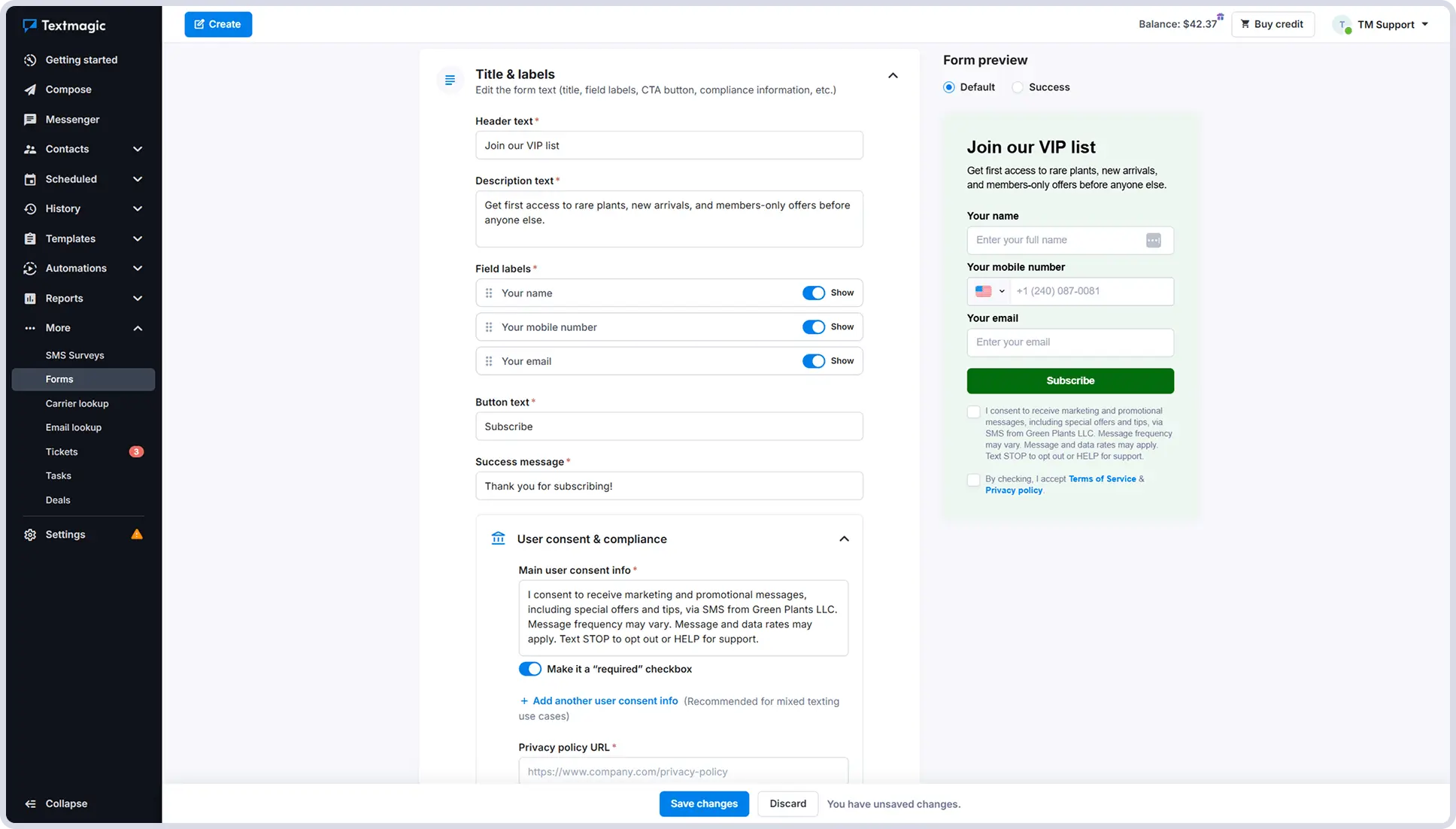
The form handles everything: it collects the phone number and adds the contact directly to the right list. When you go through carrier verification, you can use the Textmagic form as your consent proof.
Common use cases include back-in-stock or waitlist alerts. For example, you can add a form on a sold-out product page that lets customers opt in to be notified when it is available again. The consent language for this kind of form is simple:
☐ Text me when this item is back in stock from [Store Name]. One message per restock. Msg & data rates may apply. Text STOP to opt out or HELP for support. By checking this box, I accept the [Terms of Service] & [Privacy Policy].
Because the customer is signing up for a specific, limited purpose communication, the language can be more focused than a general marketing opt-in and customers are more likely to tick it.
3. Register your sending number
Once your consent collection is sorted, you need to make sure your messages are delivered. This depends on where your customers are.
US & CA customers
Every business sending SMS in the United States needs a registered number. Unregistered messages are filtered by carriers before delivery. You have two options.
- Toll-free numbers (800, 888, 877) are what Textmagic recommends for most Shopify stores. Registration is free, takes about 5 business days, and you will need your business name, a description of what you send, how you collect consent, and two or three sample messages.
- 10DLC numbers use a local area code and are worth considering if local presence matters to your brand, but they require more paperwork and take up to 7 business days to be approved.
Selling to Canada? Verified toll-free numbers work there too, similar registration process as in the US. If you need a local Canadian number instead, contact Textmagic support and they will get one set up for you.
Check out our video tutorial to see how to get started with SMS in the United States & Canada.
Textmagic walks you through the registration inside your account.
UK & AU customers
- Sending texts to the United Kingdom requires either a dedicated UK virtual number (two-way, customers can reply) or a Sender ID (your store name as the sender, one-way only). Your Sender ID has to be your actual brand name. Generic words like “SHOP” or “ALERT” are blocked.
- Sending texts to Australia is also possible with dedicated numbers, but you need to describe your business use case when purchasing one. Sender IDs are available but can take up to 14 days to activate, so if you have a campaign coming up, start this early.
Check out our video tutorial to see how to get started with SMS in the United Kingdom & Australia.
Other countries
Selling to Europe or other markets? Textmagic provides dedicated numbers for several European countries including Germany, Estonia, Italy, and more.
If your communication stack already includes a Twilio or Vonage number, you can connect it directly through the Textmagic BYOC integration and keep everything in one place.
Once your consent and number are set up, you have everything you need to start sending.
Sending habits that protect your deliverability
Getting your setup right means nothing if your messages are easy to ignore or flag. A few habits make the difference between a healthy sender reputation and one that quietly degrades.
- Send at sensible times. In the US, TCPA restricts commercial messages to 8am-9pm in the customer’s local time zone. Textmagic’s scheduler lets you set a sending window for your automations so they never fire outside it, regardless of when the Shopify trigger happens.
- Keep your lists clean. When someone replies STOP to a promotional message, they should stay on your transactional list. They still want their shipping updates. Textmagic handles opt-outs per list automatically.
- Identify your store in text messages. Customers who cannot tell who is texting them ignore the message or report it as spam, which hurts your sender reputation over time. You can identify your store using a relevant sender ID or by signing your text messages when the sender is not clear.
- Do not overdo frequency. Four to eight marketing messages per month is a reasonable ceiling. Transactional messages are different. Those fire on real events and customers expect them. But for promotional sends, more is rarely better.
What not to send
Carriers and spam filters look at message content, not just sender registration. A registered number sending spammy-looking messages will still get flagged and once your sender reputation takes a hit, deliverability suffers across everything you send.
A few things that will get you in trouble:
- All caps and excessive punctuation. “HUGE SALE ENDS TONIGHT!!!!”
- Fake urgency. “Only 2 left!” when you have 200 in stock, or “This offer expires in 1 hour” sent to everyone regardless of when they open it.
- Vague sender identity. Any message that does not immediately tell the customer who is texting them and why.
- Texting people who did not opt in. Uploading your full email list to your SMS tool and blasting them is the fastest way to get your number flagged with carriers.
- Links without context. A bare URL with no explanation of where it goes looks like a phishing attempt. “Track your order here: [link]” works. “[link]” on its own does not.
Get SMS running for your store, the right way
The best time to reach a customer is right after they buy. SMS makes sure you do.
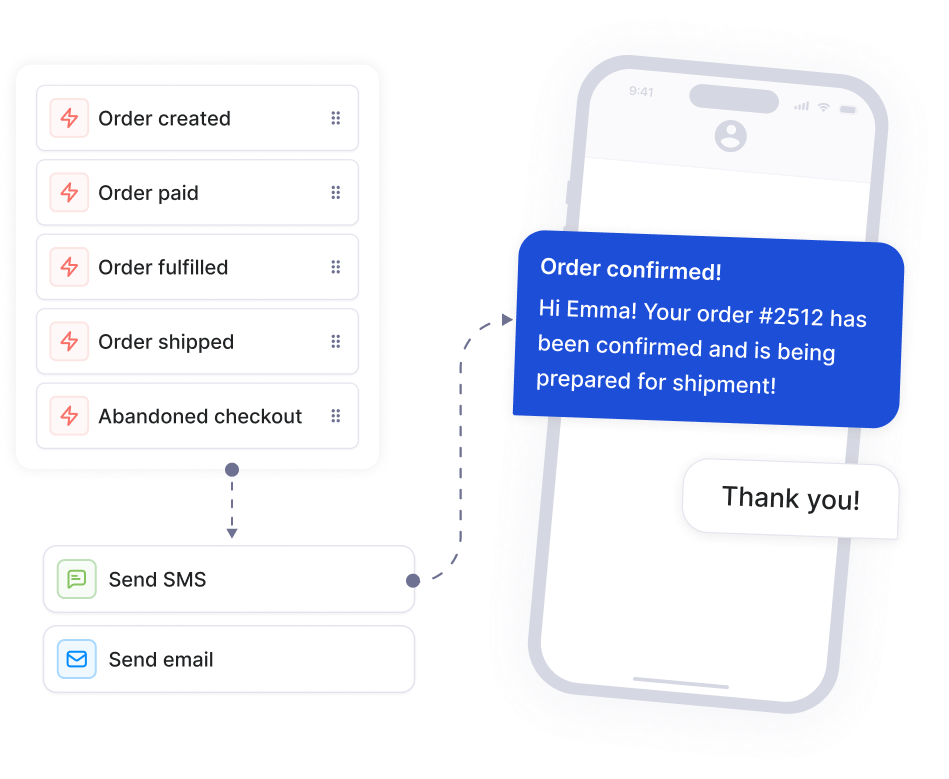
Consent at checkout, a registered number, and a few automation flows. That is the full picture. Most stores that do this well set it up in an afternoon and never think about it again.
Connect your Shopify store to Textmagic and start with the basics. You can always expand from there.

Related articles

Text messaging advertising 101: Strategies and best practices
Within the time you took to check this article, over...

8 Proven customer satisfaction (CSAT) survey examples & tips to elevate your business
Customer satisfaction surveys are powerful tools for...

The 10 best CRMs for small businesses to choose from in 2025
Small businesses often struggle with growing their c...

21 Inspiring quotes about the future of mobile
Mobile isn’t just another channel; but an enti...

6 Proven steps to craft a profitable customer engagement strategy
Discover how to craft a customer engagement strategy...