



SMS has a 90% open rate within the first three minutes of delivery. Email is where most business communication happens. Combining the two to sending texts directly from your inbox is one of the simplest ways to reach people faster without changing the tools you already use.
Whether you need to urgently communicate something to your staff or maybe promote a flash sale, you can do so by using an email to text gateway.
In this article, we will show you how to send an email to text in two ways:
- By using your recipient’s phone carrier gateway address
- By using the Textmagic Email to SMS gateway
How to send a text message via email
Follow these steps to send a text message from your email client:
1. Compose your message in your email client
This step is pretty straightforward. Open your email client and write your message as normal. Keep in mind that standard SMS length limits apply: 160 characters for SMS, or use the MMS gateway address for longer content. Run your message through our free SMS length calculator to make sure it stays within the character limit.
2. Find your recipient’s carrier gateway address
Every phone carrier offers its own gateway address you can use to send email to SMS, and you need to know the exact carrier of your recipient’s phone number for it to work.
If you don’t know your recipient’s carrier, use our free carrier lookup tool.
Below are the gateway addresses of the most popular carriers in the US and Canada.
SMS/MMS gateway domains for the United States
Table updated on June 02, 2026
| Mobile Carrier | SMS Gateway Domain | MMS Gateway Domain | Status |
|---|---|---|---|
| AT&T | txt.att.net / mms.att.net | mms.att.net | ❌ Shut down |
| Alltel | sms.alltelwireless.com | mms.alltelwireless.com | ❌ Shut down |
| Boost Mobile | sms.myboostmobile.com | myboostmobile.com | ❌ Shut down |
| Cricket Wireless | mms.cricketwireless.com | mms.cricketwireless.com | ❌ Shut down |
| Google Fi | msg.fi.google.com | msg.fi.google.com | ✅ Active |
| MetroPCS | mymetropcs.com | mymetropcs.com | ❌ Shut down |
| Republic Wireless | text.republicwireless.com | MMS not available | ❌ Shut down |
| Sprint | messaging.sprintpcs.com | pm.sprint.com | ❌ Defunct (T-Mobile, 2020) |
| T-Mobile | tmomail.net | tmomail.net | ❌ Discontinued Dec 2024 |
| U.S. Cellular | email.uscc.net | mms.uscc.net | ⚠️ Unreliable |
| Verizon Wireless | vtext.com | vzwpix.com | ⚠️ Phase-out, ends Mar 2027 |
| Virgin Mobile | vmobl.com | vmpix.com | ❌ Defunct (merged into Boost) |
SMS gateway domains for Canada
Table updated on June 02, 2026
| Mobile Carrier | SMS Gateway Domain | Status |
|---|---|---|
| Bell Canada | txt.bell.ca | ❌ Shut down |
| Bell MTS | text.mts.net | ❌ Discontinued |
| Fido Solutions | fido.ca | ❌ Discontinued |
| Freedom Mobile | txt.freedommobile.ca | ✅ Active |
| Koodo Mobile | msg.telus.com | ⚠️ Unreliable |
| PC Mobile | mobiletxt.ca | ❌ Discontinued |
| Rogers Communications | pcs.rogers.com | ❌ Discontinued |
| SaskTel | sms.sasktel.com | ✅ Active |
| Telus | msg.telus.com | ✅ Active |
3. Address your email to the recepient
In the To field, enter the recipient’s number in international format followed by the gateway domain — for example, [email protected]. Type your message and send.
4. Check and send your email to SMS
Double-check the phone number, gateway domain, and character count, then send. Your message will arrive as an SMS on the recipient’s phone. This method only works if your recipient is on a carrier that still supports email-to-text. For reliable delivery to any carrier, use Textmagic’s Email to SMS gateway instead.
Set up Email to SMS with Textmagic
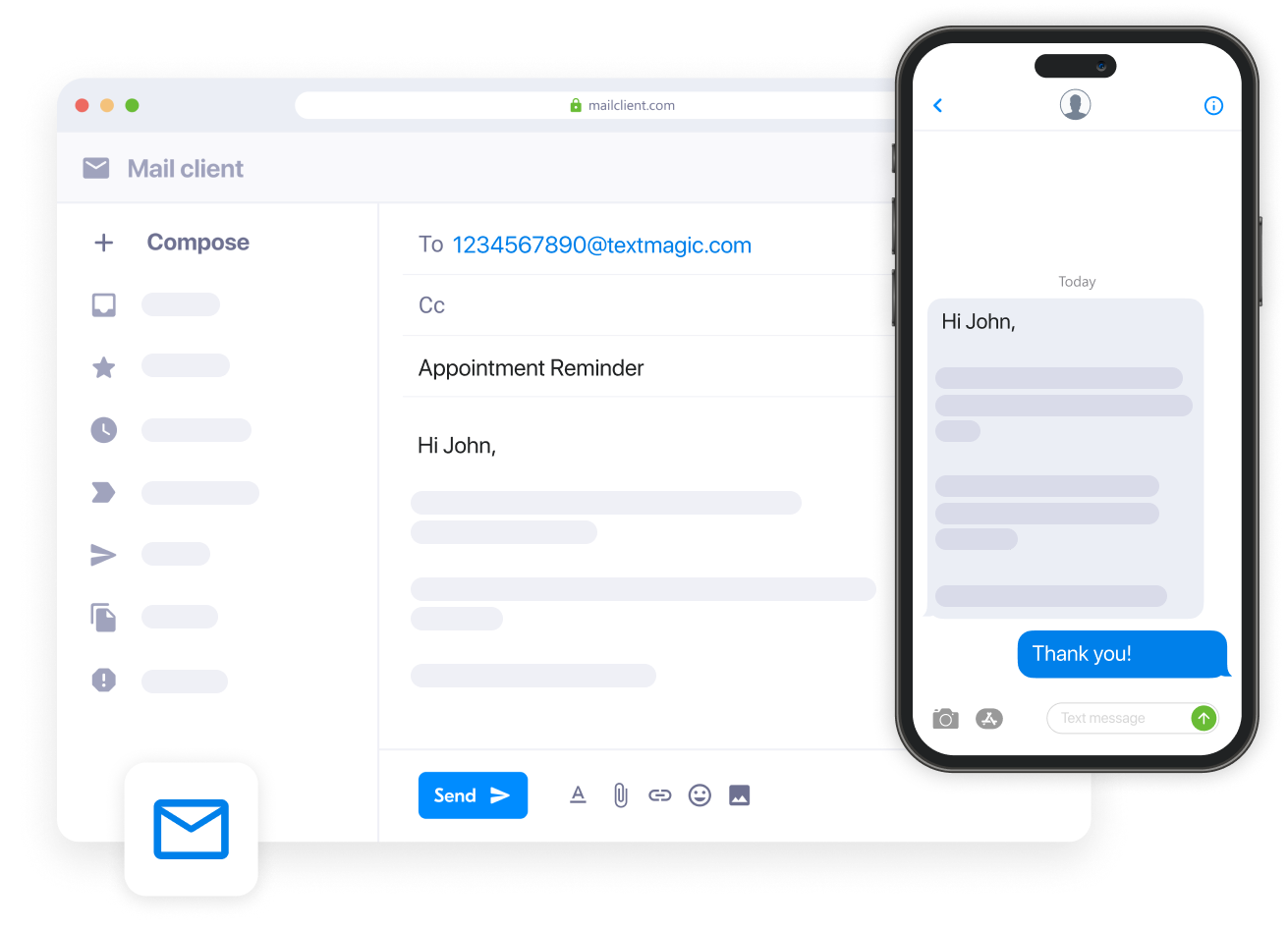
Textmagic’s Email to SMS service works regardless of which carrier your recipient is on. You don’t need to know their carrier or manage gateway addresses. Just send an email to a phone number and Textmagic handles the rest.
1. Log-in to your account or register for free
Log in to Textmagic if you’re an existing user or register for a new account. The registration process is quick and easy, and we also offer a free trial. From your Textmagic dashboard, navigate to Settings and select Email to SMS.
2. Add your allowed email addresses
In the allowed email tab, click +Add allowed emails and enter the email address you want to send text messages from. If you want to send email to text from multiple addresses, feel free to add more. Type each email on a separate line.
Each address you add can send texts from its own inbox using your shared account credit. You can add teammates here too.
3. Configure your content and send settings
In the Send & Receive Settings tab, choose whether to include the email subject, body, or both in the SMS. Set a maximum message length, trim signatures, and apply any custom cut-off phrases for cleaner texts.
4. Send an email to SMS from your inbox
These email addresses can now send texts the same way you would send an email.
Now you go to your usual email client and write in the recipient field the number you want to message in international format, followed by @textmagic.com. Your recipient should look like this: [email protected].
Connect email to SMS in minutes with Textmagic
Start sending texts directly from your inbox and easily monitor delivery and responses.
Send text via email to multiple contacts
When you want to send a text via email to multiple recipients, configure a distribution list. This is particularly useful for forwarding email alerts as text messages to as many mobile numbers as needed in one go:
- Go to Settings > Distribution lists
- Click New distribution list and enter a name for your new distribution list
- Add all the mobile numbers to the recipients’ box. You can select from existing contacts and mailing lists or enter new numbers.
- Choose whether the email subject line, contents, or both must be sent as SMS content, and select the maximum length of email to forward.
- Click Continue and make a note of the distribution list email address. You can also check these at any time by returning to Services Distribution lists.
Whenever an email is sent to that Textmagic distribution address, it is converted to a text message and delivered to all the recipients you added in the third step. You can create an email forwarding rule to a distribution list if you need essential emails to be forwarded automatically as texts to distribution list members.
Benefits of using Textmagic email to SMS
- Delivery tracking: Every message has a full delivery trail. See what was delivered, failed, or is pending, with timestamps and sender information.
- Two-way replies: Recipients reply by SMS and you receive it as an email. You can respond directly from your email inbox.
- Works with your sender settings: The number recipients see is determined by the sender settings configured in your account for their country.
- Shared team access: Add multiple allowed email addresses so teammates can send from their own inboxes using shared credit.
- No carrier dependency: Messages route through dedicated SMS infrastructure, not carrier bridges that can be shut off.
- No integrations needed: Works with Gmail, Outlook, or any email client out of the box.
Send SMS from email, reply from your inbox
Start sending texts directly from Gmail, Outlook, or any email client. No setup required
Frequently Asked Questions (FAQs)
Yes. With Textmagic’s Email to SMS, you can send texts directly from Gmail, Outlook, or any other email client without needing to know the recipient’s carrier. Address your email to [email protected], send it as normal, and it arrives as an SMS. Replies come back to your inbox.
It depends on which method you use. With a carrier gateway, recipients typically see your email address as the sender ID (e.g., [email protected]) or a generic system alias like 5000. With Textmagic, the number recipients see is determined by the sender settings configured in your account for the recipient’s country. For US and Canada, a registered virtual number is required for compliance.
Between late 2024 and June 2025, all three major U.S. carriers shut down their public email-to-text gateways due to spam abuse and reliability issues. A dedicated Email to SMS service like Textmagic routes messages through its own SMS infrastructure instead, so delivery isn’t dependent on a free carrier bridge.
Textmagic charges per message sent, using a credit-based system. There are no monthly fees for the Email to SMS feature itself. You pay only for the messages you send. Pricing varies by destination country. You can check current rates on the Textmagic pricing page.
It depends on the service. Carrier gateways only worked within their own network and country. A dedicated email to SMS gateway like Textmagic supports international delivery, though the sender number, compliance requirements, and per-message rates vary by destination country. If you’re sending to recipients outside the US or Canada, check whether your provider supports that country and what registration may be required.

Related articles

How to promote your business with commercial text marketing
In a world where the average attention span is just ...

Top 12 must-know customer service trends for 2025
Customer service plays a key role in business succes...
What is number porting? Pros, cons, and business considerations
Are you considering switching mobile providers but a...

How integrated email and SMS marketing drives better results
Discover why SMS and email complement each other and...

Create a winning B2B customer journey map: Guide & templates
Tips and templates to help you craft a winning B2B c...